Purchase invoices are an essential part of every trading, distribution, retail, and manufacturing businesses. But entering invoice details manually into an accounting or ERP system can consume significant time, especially when businesses process hundreds or thousands of vendor bills every month.
From typing vendor details and invoice numbers to entering product quantities, rates, taxes, and totals, purchase entry involves repetitive work and creates opportunities for human errors.
This is where purchase invoice automation can make a huge difference. We suggest Marg ERP’s Photo to Purchase Import. Its AI-powered feature for digital entry of your purchase and invoices.
In today’s article, we will explore everything you need to know about purchase invoice automation and the process of Photo to Purchase Import in Marg Billing Software. Let’s begin.
What is Purchase Invoice Automation?
Purchase invoice automation is the use of billing software and digital technologies to capture information from supplier invoices and transfer it into an accounting or ERP system with minimal manual data entry.
Instead of an employee reading a physical or digital invoice and entering every detail manually, an automated system can extract important information such as;
- Vendor name and details
- Invoice number and date
- Product names
- Quantities
- Purchase rates
- Tax information
- Discounts
- Total invoice value
This process is often supported by invoice data capture technologies and OCR, allowing businesses to convert invoice information into structured digital data. The objective is to reduce repetitive purchase entry while improving speed and accuracy.
Why Manual Purchase Invoice Entry Takes So Much Time.
Traditional purchase entries may appear straightforward when there are only a few invoices. However, the workload increases rapidly as transaction volumes grow.
An employee may need to open an invoice, identify the vendor, enter invoice details, search for products, input quantities and rates, calculate applicable taxes, and verify the final amount.
The process becomes even more complicated when invoices arrive through different channels, including printed documents, PDFs, email attachments, or messaging applications.
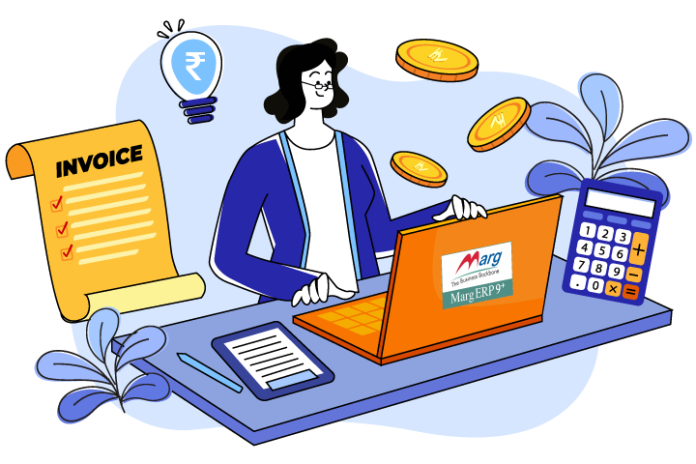
Manual purchase entry and processing help with reducing;
- Duplicate data entry
- Incorrect product selection
- Typing mistakes
- Incorrect quantities or rates
- Delayed purchase posting
- Difficulty tracking pending invoices
- Higher administrative workload
How Does OCR Invoice Scanning Work?
OCR invoice scanning uses Optical Character Recognition technology to identify text and information from an invoice.
Instead of manually typing information from a document, OCR can read relevant fields and convert them into machine-readable data. An OCR-enabled system can identify these details and make them available for digital processing.
Example.
When an invoice contains;
- Vendor: Saksham Distributors
- Invoice No.: 4588
- Product: Product A
- Quantity: 100
- Rate: Rs. 250
An OCR-enabled system can identify these details and make them available for digital processing.
Modern systems can go beyond basic text recognition by using intelligent rules and AI-supported capabilities to understand invoice structures and identify relevant fields. This can make invoice data capture significantly faster than conventional manual entry.
What is AI Invoice Processing?
AI invoice processing adds intelligence to the automation process. While traditional OCR primarily focuses on reading text, AI-supported systems can help interpret invoice information, identify patterns, and assist with data processing.
For example, AI-supported capabilities may help recognize product information, understand invoice layouts, identify relevant fields, and reduce the amount of manual intervention required.
The exact capabilities depend on the ERP or software platform, but the broader objective remains the same, to turn unstructured invoice information into usable purchase data more efficiently.
Purchase Order Matching: Another Layer of Accuracy
Invoice automation becomes even more useful when businesses connect invoices with purchase orders.
Purchase order matching allows the system to compare invoice information with the corresponding purchase order and, depending on the workflow, receive quantities or other transaction information.
For example;
Purchase Order: 100 units
Received: 100 units
Invoice: 100 units
- Case A: If the information matches, the invoice can move through the defined processing workflow more efficiently.
- Case B: If there is a mismatch, such as an invoice showing 120 units while the purchase order contains 100, the difference can be identified for review.
This helps businesses detect discrepancies before completing the purchase process.
How Automated Purchase Entry Saves Time.
One of the biggest advantages of invoice automation is automated purchase entry. Instead of manually entering every field from a vendor invoice, businesses can use digital tools to capture information and reduce repetitive typing.
Here’s how it saves time. We suggest Marg ERP for its Photo to Purchase Import feature for digital entries and faster operations.
Faster Data Entry
Invoice details can be captured digitally instead of being entered field by field.
Reduced Repetitive Work
Employees spend less time typing the same information from invoices into the ERP.
Fewer Manual Errors
Reducing manual typing can help minimize errors related to invoice numbers, quantities, rates, and other fields.
Faster Invoice Processing
Invoices can move into the purchase workflow sooner, helping businesses maintain more up-to-date transaction records.
Better Employee Productivity
Employees can spend less time on repetitive data entry and more time on activities that require verification, analysis, vendor coordination, and decision-making.
Vendor Bill Import and Digital Purchase Processing
Businesses receive vendor bills in many formats. Some suppliers may send printed invoices, while others provide PDFs or digital documents.
Vendor bill import capabilities can help businesses bring invoice information into their ERP environment without relying entirely on manual entry.
How Marg ERP Supports Digital Purchase Entry.
Modern ERP platforms are increasingly combining traditional accounting capabilities with AI-supported tools to simplify routine business processes.
Marg ERP includes digital and AI-supported features designed to help businesses reduce manual work in areas such as purchase processing. Features such as Photo to Purchase Import, digital entry capabilities, and invoice-related automation can help users move information from documents toward structured purchase transactions.
Instead of treating invoice processing as a completely manual activity, businesses can create a more connected workflow:
Invoice Received- Invoice Data Capture- Verification- Purchase Entry- Inventory & Accounts Update
The level of automation and the exact workflow can depend on the invoice format, configuration, and business requirements.
Conclusion
Purchase invoice automation can transform a time-consuming manual process into a faster digital workflow. Technologies such as vendor invoice automation, OCR invoice scanning, AI invoice processing, purchase order matching, automated purchase entry, and vendor bill import help businesses reduce repetitive work and improve data accuracy.
Marg ERP with purchase invoice automation features including Purchase Import and Digital Purchase Entry help businesses move toward more efficient, paper-light purchase operations. It empowers employees to spend less time typing invoices and more time managing the business.
FAQs on Purchase Invoice Automation
Can purchase invoice automation handle invoices from multiple vendors?
Purchase invoice automation can process invoices from different vendors, even when their layouts, formats, and data structures vary. AI-supported systems can help identify relevant fields across different invoice formats, reducing the need to configure every invoice manually.
Can purchase invoice automation help with invoice approval workflows?
Automated invoice processing can support defined approval workflows by routing invoices for verification or authorization based on business rules. This can help businesses maintain better control over purchases and ensure invoices are reviewed before final posting or payment.
How does invoice automation help businesses maintain audit trails?
Digital invoice processing can make it easier to maintain records of invoice data, verification steps, approvals, and purchase entries. A structured digital trail can improve traceability and make it easier to review transactions when required.
Can purchase invoice automation help identify duplicate invoices?
Depending on the billing software and configuration, automated systems can compare invoice-related information such as vendor details, invoice numbers, dates, and amounts to help identify potential duplicate entries. This can reduce the risk of processing the same vendor bill more than once.
Is purchase invoice automation suitable for small businesses?
Small businesses can also benefit from purchase invoice automation, particularly when invoice volumes are increasing. Automating repetitive purchase-entry tasks can help small teams save administrative time, improve record accuracy, and manage growing transaction volumes without proportionally increasing manual data-entry work.